
Top Mistakes Businesses Make with AV Installations (And How to Avoid Them)
Audio-visual (AV) systems are essential for modern businesses, enabling seamless communication, effective presentations, and engaging hybrid meetings. However, many organizations make critical mistakes during installation that compromise performance, increase costs, and frustrate users.
Avoiding these mistakes is key to creating a reliable, professional AV setup that enhances productivity rather than causing headaches. In this guide, we’ll explore the most common AV installation errors businesses make and provide actionable tips to prevent them.
1. Ignoring Proper Planning
One of the biggest mistakes businesses make is jumping straight into purchasing equipment without planning. Each office or conference room has unique requirements — size, layout, acoustics, and intended use all affect the AV system.
- Tip: Conduct a full assessment of your space before buying equipment. Determine room dimensions, seating arrangements, and lighting conditions. Consider hybrid meeting needs if remote participants are involved.
Proper planning ensures the right equipment is selected, avoiding overbuying or underpowering your setup.
2. Choosing the Wrong Equipment
Selecting AV equipment without considering the room size, audience, or type of content is another common error. For example, installing a small speaker in a large boardroom can result in poor audio coverage, while a high-end projector in a tiny room may be overkill.
- Tip: Match speakers, microphones, and displays to your specific space. For large rooms, ceiling or wall-mounted speakers may be necessary, while small huddle rooms need compact solutions.
Consulting with an AV expert can help you choose equipment that fits your needs and avoids unnecessary expenses.
3. Poor Cable Management
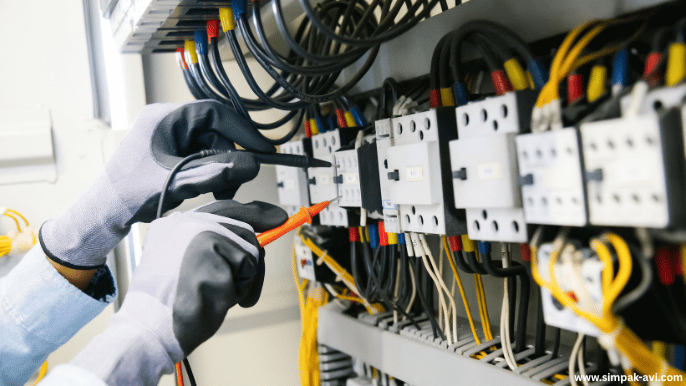
Cables are often overlooked, but poor cable organization can cause technical issues, safety hazards, and an untidy appearance. Tangled or damaged cables reduce signal quality and increase maintenance headaches.
- Tip: Use cable trays, floor boxes, and Velcro ties to organize wires neatly. Label cables for easy troubleshooting and avoid sharp bends or stretching that can damage connectors.
A clean, well-organized AV installation not only looks professional but also ensures reliability and safety.
4. Overlooking Acoustics and Audio Placement
Many businesses install microphones and speakers without considering room acoustics. Hard surfaces reflect sound and create echo, while poor speaker placement leads to uneven audio coverage.
- Tip: Assess the room’s acoustics before installation. Add acoustic panels if necessary and position speakers to evenly distribute sound. Use ceiling microphones or boundary mics for clear voice pickup in larger rooms.
Good audio design prevents feedback, echo, and dead zones, improving overall meeting quality.
5. Inadequate Connectivity and Integration
Modern meetings require seamless connectivity between devices and platforms. A common mistake is installing AV systems without proper integration, resulting in frequent connection issues or manual switching between devices.
- Tip: Ensure your AV setup supports HDMI, USB-C, and wireless casting. Integrate with platforms like Zoom, Teams, or Google Meet for hybrid meetings. Centralized control systems help manage devices efficiently.
Well-integrated systems save time, reduce frustration, and improve collaboration.
6. Skipping Testing and Calibration
Installing equipment and walking away without testing is a recipe for failure. Uncalibrated displays, misaligned cameras, or improperly adjusted microphones can ruin meetings from day one.
- Tip: Conduct thorough testing of all devices after installation. Check audio levels, microphone sensitivity, camera angles, and display clarity. Schedule periodic recalibration to maintain optimal performance.
Testing ensures that your AV system performs consistently and reliably over time.
7. Neglecting User Training
Even the best AV setup fails if staff or presenters don’t know how to operate it. Complex controls, unlabelled cables, or unfamiliar software can create confusion and delays.
- Tip: Provide basic training for staff on operating displays, microphones, and connectivity options. Offer simple user guides or quick-reference sheets for common tasks.
Empowered users maximize the system’s potential and reduce dependency on IT support.
8. Failing to Plan for Maintenance
AV systems require ongoing care. Ignoring maintenance leads to equipment failure, degraded performance, and higher repair costs.
- Tip: Schedule regular inspections, cleaning, and software updates. Partner with an AV provider like Simpak-AVI for professional maintenance to catch issues before they become serious.
Proactive maintenance keeps your AV system performing at its best and extends its lifespan.
9. Overlooking Future Growth
Businesses grow, and technology evolves. Installing a fixed or limited AV system without considering future needs can result in expensive upgrades or replacements.
- Tip: Choose modular solutions that allow for expansion. Plan for additional displays, microphones, or wireless connectivity as your team grows or meeting requirements change.
Scalable designs save money and reduce disruption when upgrading your setup.
Conclusion
AV installation mistakes are common but avoidable. Proper planning, careful equipment selection, organized cabling, smart audio design, seamless integration, and ongoing maintenance create a reliable, professional system.
At Simpak-AVI, we specialize in designing and installing custom AV solutions that help businesses avoid common pitfalls. From conference rooms to boardrooms, our experts ensure your AV setup delivers crystal-clear audio, sharp visuals, and a seamless experience for every participant.
Invest wisely, plan carefully, and your AV system will support your business goals for years to come.