
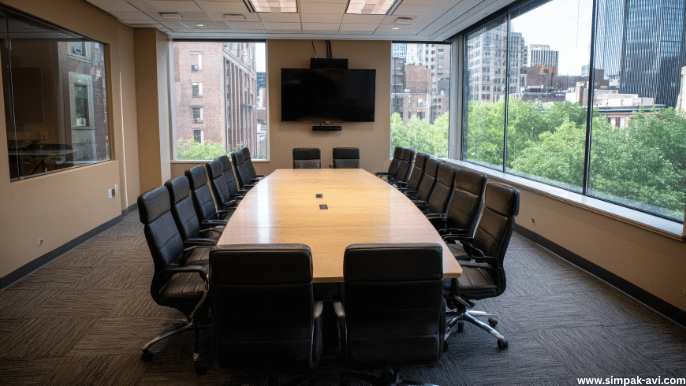
How to Design an Effective Conference Room AV Setup?
A well-designed conference room AV setup can completely transform how teams communicate, collaborate, and make decisions. Whether it’s for client presentations, virtual meetings, or internal strategy sessions, the right audio-visual system ensures that every word is heard clearly and every image is sharp.
Many businesses invest in technology but overlook proper planning — resulting in echo, unclear audio, poor video quality, and cables everywhere. With the right design strategy, your conference room can become a powerful, efficient communication hub.
In this blog, we’ll walk you through the key steps to designing a smart, reliable, and future-ready conference room AV setup.
Why Conference Room AV Design Matters?
Your conference room is more than just a space — it’s a reflection of your brand and culture. A poor AV experience can disrupt meetings, frustrate clients, and waste valuable time.
A well-planned AV setup ensures:
- Clear communication between in-room and remote participants
- Professional presentation quality for clients and teams
- Seamless hybrid meetings with integrated audio and video systems
- Efficient workflows without constant technical issues
When designed correctly, your AV system enhances productivity and creates a professional meeting environment.
1. Understand the Room Layout and Acoustics
Every great conference room setup starts with the space itself. A small meeting room doesn’t require the same solution as a large boardroom.
- Assess the room size and shape — This will help determine how many speakers, microphones, and displays are needed.
- Consider acoustics — Hard surfaces reflect sound, while carpets and acoustic panels help reduce echo.
- Speaker placement matters — Even sound distribution ensures that participants in every corner can hear clearly.
Tip: Avoid placing microphones too close to speakers to prevent feedback issues.
2. Choose the Right Display Solution
The display is the visual centerpiece of any conference room. Selecting the right size and technology makes a huge difference.
- Flat panel displays are ideal for small to medium rooms.
- Projectors work well for larger spaces where more participants need visibility.
- Interactive displays are perfect for collaborative work and hybrid meetings.
Always choose a display with high resolution and brightness, especially if your room has windows or ambient light.
3. Invest in Quality Audio Systems
Clear audio is often more critical than visuals during meetings. If people can’t hear properly, communication breaks down quickly.
- Use ceiling or boundary microphones to capture voices evenly.
- Wall-mounted or ceiling speakers provide balanced coverage.
- Wireless microphones are useful for larger rooms or flexible seating arrangements.
- Consider DSP (Digital Signal Processing) to remove background noise and echo.
High-quality audio creates a smooth, natural conversation flow, especially in hybrid setups.
4. Seamless Connectivity and Integration
Modern conference rooms need to support multiple devices and platforms.
- Provide HDMI, USB-C, and wireless casting options.
- Integrate with popular platforms like Zoom, Microsoft Teams, and Google Meet.
- Include easy-to-access connection points at the table or wall.
- Minimize cable clutter with cable management trays or floor boxes.
The goal is a plug-and-play experience, not a 10-minute setup before every meeting.
5. Control Systems and Automation
Smart control systems simplify operations and reduce technical errors.
- Use touch panels or wireless remotes to control lighting, volume, and displays.
- Automate lighting and audio settings for different types of meetings.
- Allow IT or AV admins to manage settings remotely.
Automation makes the AV experience smooth and eliminates the need for manual adjustments during important calls.
6. Consider Hybrid and Remote Participants
In today’s workplace, hybrid meetings are standard. Your AV design should make remote participants feel equally engaged.
- Use high-quality conference cameras with auto-tracking to keep speakers in frame.
- Position microphones strategically for consistent audio pickup.
- Ensure stable internet connectivity for uninterrupted streaming.
- Optimize lighting to improve camera clarity.
An inclusive design creates better collaboration between in-room and virtual attendees.
7. Prioritize Cable Management and Aesthetics
No one wants to sit in a room full of tangled cables. Clean installation isn’t just about looks — it improves safety and ease of use.
- Run cables through the table, floor, or walls.
- Use cable trays, covers, and clamps to keep everything tidy.
- Label all cables for quick troubleshooting.
A professional, clutter-free setup leaves a lasting impression on clients and employees alike.
8. Plan for Maintenance and Future Upgrades
Technology evolves fast, and your AV system should be ready to grow with it.
- Choose modular solutions that allow easy upgrades.
- Schedule routine maintenance checks to keep everything working smoothly.
- Document your setup and wiring for quick repairs.
- Consider professional support contracts for large installations.
By planning for the future, you protect your investment and avoid unnecessary downtime.
Final Thoughts
Designing an effective conference room AV setup is about more than just buying equipment — it’s about creating a space where ideas can flow effortlessly. From smart audio placement to display selection and cable management, every element plays a role in the final experience.
At Simpak-AVI, we specialize in designing and installing custom AV solutions for meeting rooms, training spaces, and boardrooms. Whether your goal is a simple plug-and-play system or a fully automated hybrid meeting room, our experts can help you create the perfect setup.
Invest once, design smart, and let your technology work for you — not against you.