
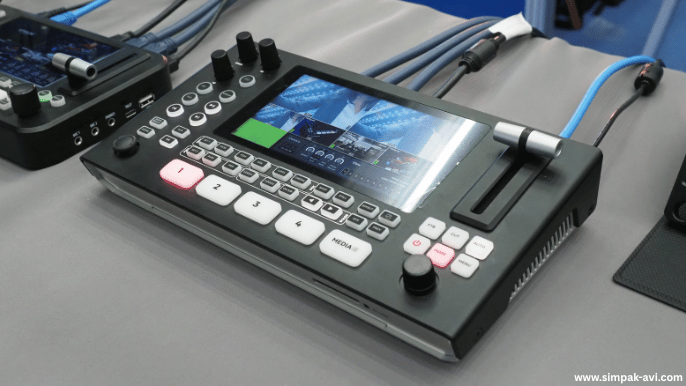
AV Integration for Video Conferencing
The way businesses communicate has changed forever. Hybrid meetings are now standard in workplaces, training rooms, classrooms, and boardrooms, which means the need for a reliable audio-visual setup is more important than ever. While platforms like Zoom, Microsoft Teams, and Google Meet make remote participation easy, they only perform at their best when integrated with a professional AV system. Poor audio pickup, weak speaker output, echo, screen lag, and unclear visuals can easily disrupt communication — and that affects productivity and brand impression. A properly integrated AV video conferencing setup ensures that every voice is heard clearly, every presentation is visible, and every participant feels included, whether they’re in the room or online. In this guide, we explore how to integrate AV with leading video conferencing platforms and what businesses need for smooth hybrid meetings.
Why AV Integration Matters for Hybrid Meetings?
Hybrid meetings demand more than a laptop microphone and a built-in camera. When several people sit around a table, the audio must reach remote participants without noise, echo, or drop-outs. Similarly, the sound coming from remote users must fill the room evenly without distortion. Professional AV integration solves these challenges by combining microphones, speakers, displays, and control systems into a seamless unit. Instead of switching devices manually, the entire system works together — so presenters can focus on their message, not the equipment. AV integration also supports screen sharing, video playback, wireless presentations, and interactive sessions, helping businesses communicate more efficiently.
Integrating AV Systems with Zoom
Zoom remains the most widely used platform for hybrid communication, but its performance depends heavily on the connected AV system. For Zoom AV integration, the setup typically includes boundary or ceiling microphones for clear voice pickup, full-range speakers for natural sound, and a professional camera that captures everyone in the room. A dedicated Zoom Room controller allows easy management of calls, screen sharing, and meeting scheduling without touching personal devices. With proper calibration, the system eliminates echo and feedback while maintaining consistent audio levels. Businesses using Zoom Rooms benefit from smoother meetings, improved collaboration, and a more professional presentation experience.
Integrating AV Systems with Microsoft Teams
Teams conference room setup is popular among corporations that rely on Microsoft 365. When integrated with AV systems, Teams delivers studio-grade audio and high-definition video for conference rooms of all sizes. Teams-certified DSP processors balance microphone sensitivity and speaker output automatically to match room acoustics. This means that even large boardrooms maintain voice clarity and consistent volume. The platform also supports dual displays — one for presentation and one for remote participants — helping both sides stay engaged. With a centralized touch controller, users can join calls, record meetings, and share screens instantly, making hybrid collaboration feel effortless.
Integrating AV Systems with Google Meet
Google Meet has become a preferred choice for educational institutions, startups, and training centers. When paired with a professional Google Meet AV system, it offers smooth, real-time communication without latency issues. A wide-angle camera captures the full classroom or workspace, while beamforming microphones track the speaker’s voice automatically. Wireless presentation tools allow teachers or trainers to share screens from laptops or tablets without cables, making sessions interactive. For spaces with multiple displays, Google Meet supports extended layouts, so remote participants remain visible throughout the session. The result is a more engaging and productive learning or training environment.
Choosing the Right AV Setup for Your Space
Every room is different — what works in a small huddle space may fail in a large conference hall. Before selecting AV equipment, businesses should assess room size, number of participants, ceiling height, acoustics, and meeting style. For small rooms, a soundbar with a built-in camera and mic might be enough. Medium rooms often require multiple microphones and wider-angle cameras. Large boardrooms benefit from ceiling microphones, multiple speakers, and PTZ cameras for speaker tracking. The goal is to create an AV video conferencing setup where remote and in-person participants communicate naturally without struggling to hear or be heard.
Final Thoughts
A professional AV integration for video conferencing does more than improve sound and visuals — it builds confidence, enhances teamwork, and strengthens communication with clients and partners. As businesses adopt hybrid work models, reliable AV systems are no longer optional; they’re essential. Whether using Zoom, Teams, or Google Meet, the right combination of microphones, speakers, cameras, and displays can transform meeting rooms into powerful collaboration spaces. For organizations planning an upgrade or new installation, working with an expert AV provider ensures compatibility, acoustic tuning, and long-term support — so every meeting feels effortless.
FAQ’s
1. Why do I need a professional AV setup for video conferencing?
To ensure clear audio and video for everyone in the room and online, without echo or interruptions.
2. Can Zoom, Microsoft Teams, and Google Meet work with the same AV system?
Yes, modern AV systems can integrate with all three platforms when configured correctly.
3. What equipment is essential for a conference room video conferencing setup?
A camera, microphones, speakers, display, and control panel are the core components.
4. Do I need ceiling microphones for small meeting rooms?
Not always — small rooms can use tabletop microphones or an all-in-one soundbar.
5. Can AV systems reduce echo and background noise?
Yes, DSP technology filters noise and prevents echo for clearer communication.
6. How long does installation take?
Small rooms take a few hours; larger boardrooms may take 1–2 days.
7. Is AV integration expensive?
It depends on the room size and equipment, but most businesses find it cost-effective in the long term.
8. Can I upgrade my current system instead of installing a new one?
Yes, existing systems can be upgraded step by step without a full replacement.